Freelance Client, Time & Invoice Tracker
Log hours at each client's rate, raise invoices from them, and see at a glance who owes you what and who is late.
Freelance money problems are rarely about the rate. They’re about hours you forgot to bill and invoices nobody chased.
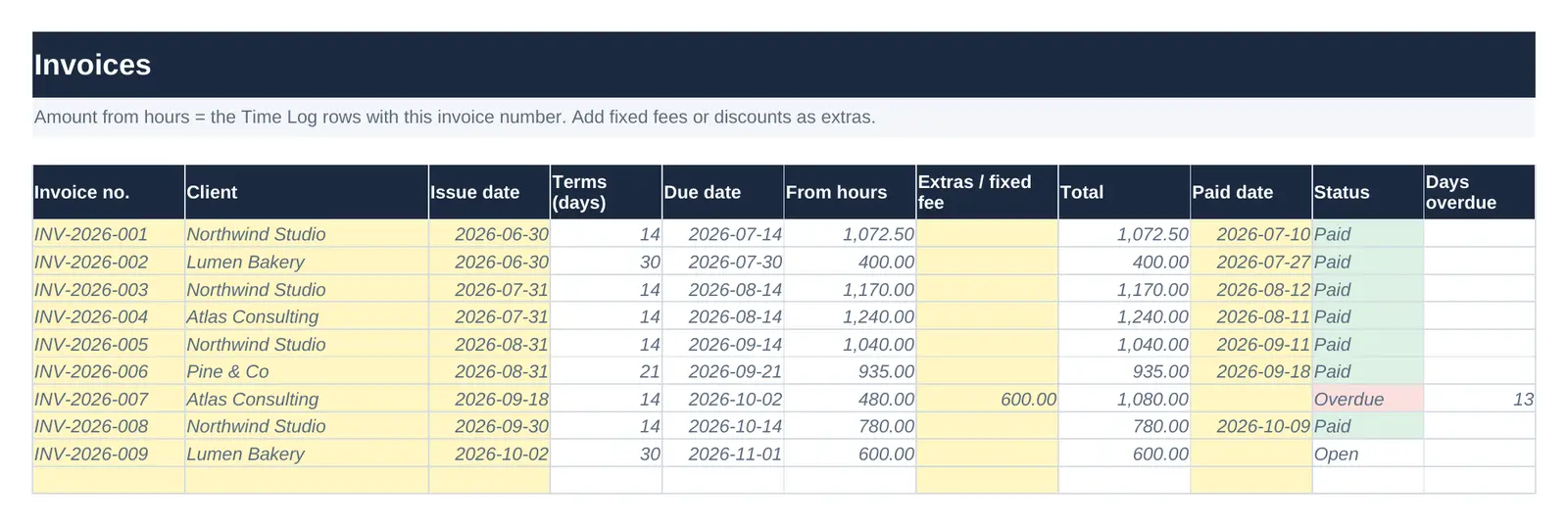
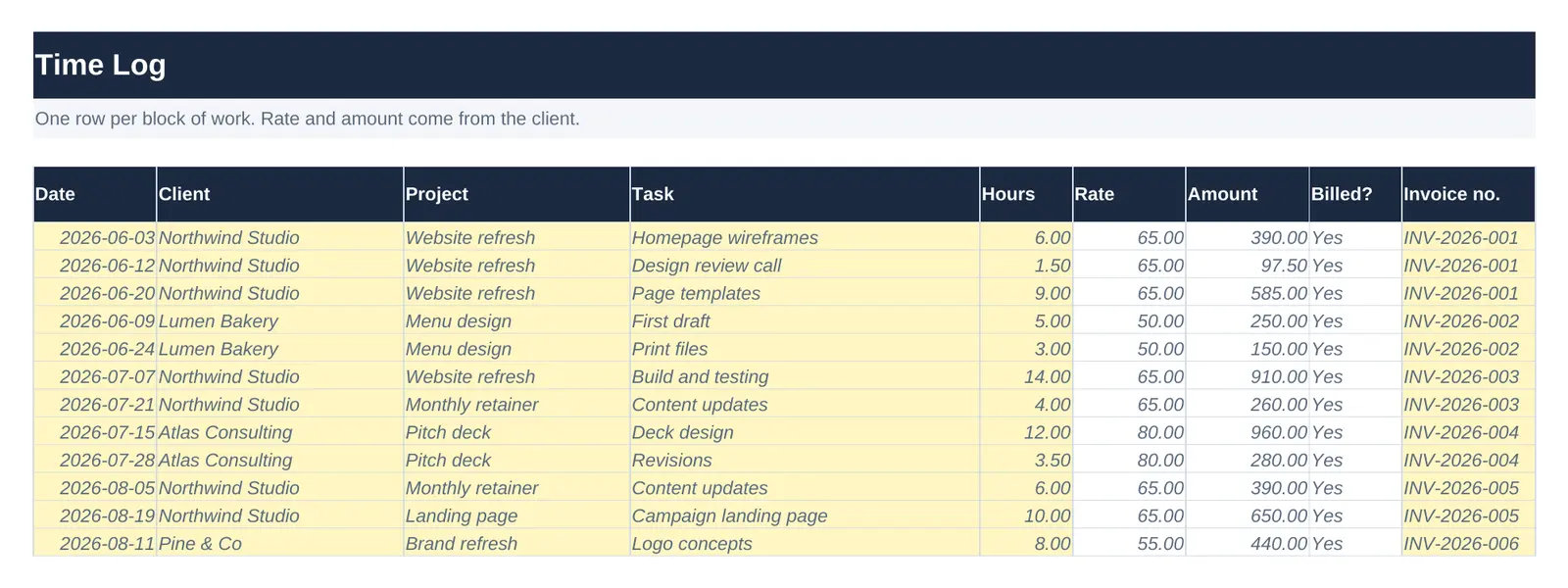
This tracker joins the two. You log time against a client, and the rate comes from that client’s row, or your default if they don’t have one. When you send an invoice, you type its number next to the hours it covers. The invoice picks up those hours automatically, and you can add a fixed fee or a discount on top.
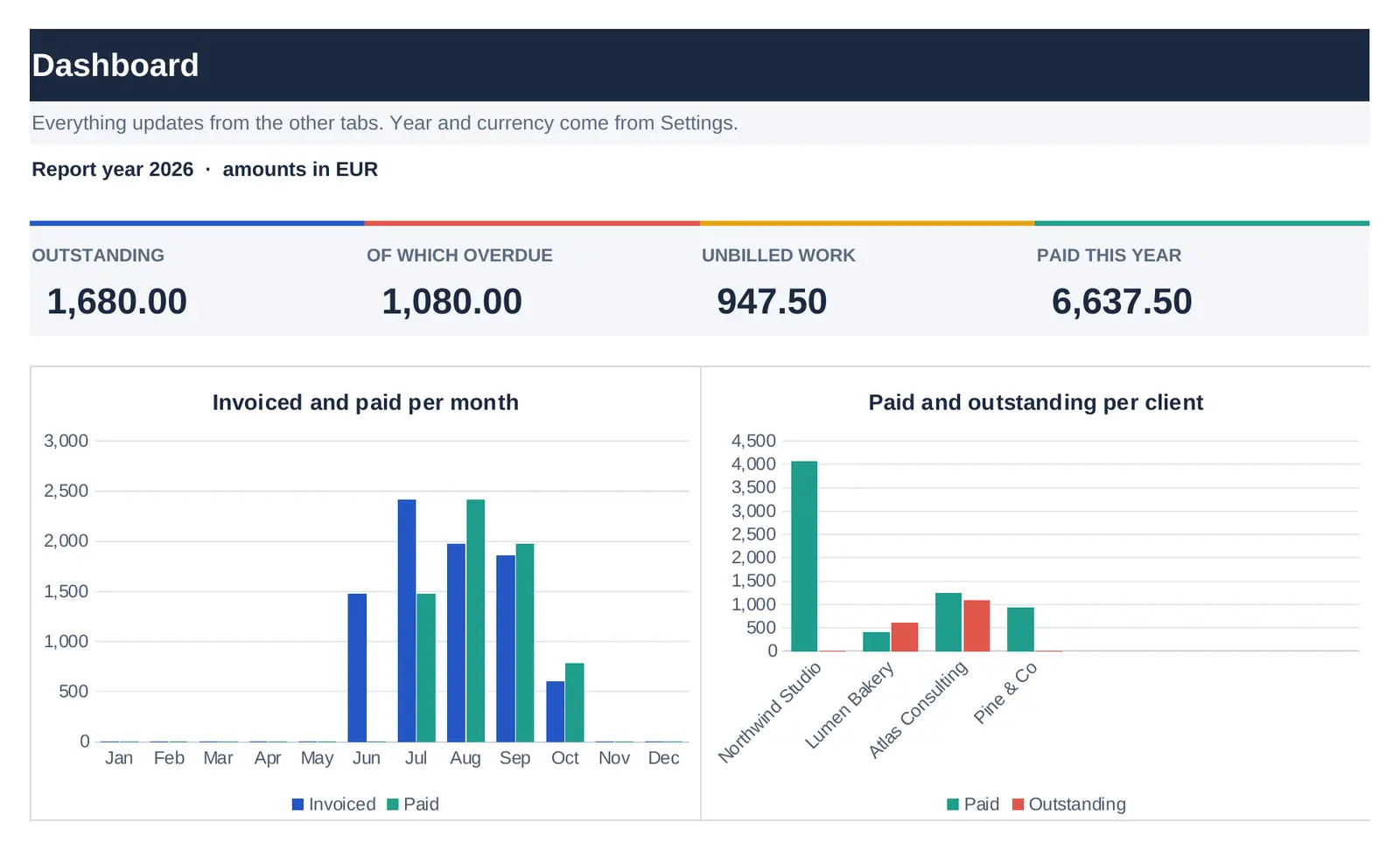
From there the file keeps watch. Each invoice gets a due date from the client’s payment terms and a status that changes from Open to Overdue the day after it’s due, with a count of days overdue. The moment you type a paid date it turns Paid. The Dashboard shows what’s outstanding, what’s overdue, how much work you haven’t billed yet, and your income month by month for the year you choose.
What's inside
| Tab | What it does |
|---|---|
| Clients | Each client's hourly rate and payment terms. Leave them blank to use your defaults. |
| Time Log | Hours worked per client and project. Rate and amount fill in from the client. Type an invoice number when you bill the hours. |
| Invoices | Due date from the client's terms, amount from the hours on that invoice plus any fixed fee, and a status of Open, Overdue or Paid with days overdue. |
| Dashboard | Outstanding and overdue totals, unbilled work, invoiced and paid per month, and totals per client. |
| Settings | Currency, default rate, default payment terms and the year to report on. |
Who it's for
- Freelancers and contractors who bill by the hour, fixed fee, or both
- Anyone whose invoicing tool doesn't show unbilled hours
- People who need a clean yearly income summary for their tax return
Questions
Does it create the invoice document itself?
No. It tracks invoices you send from your usual tool or template. It's the overview of what you've billed, what's been paid and what's late, which most invoice generators don't give you.
Which currencies work?
Any. Set your currency on the Settings tab and amounts are shown with two decimals. One currency per file.
Does it handle VAT?
Amounts are whatever you enter, so you can track totals with or without VAT. It doesn't calculate tax for you.
The complete set: all 3 templates for $49
Bought separately they cost $72. One payment, 3 files, the same licence and free updates.
$49 $72
Available soon.
Related guide
Licence: use it in your own work and for your clients; don't resell or share the file itself. Read the full terms and the refund policy.