Content Calendar & Metrics Tracker
Plan posts across every channel, log the results, and see which platform and which post actually worked.
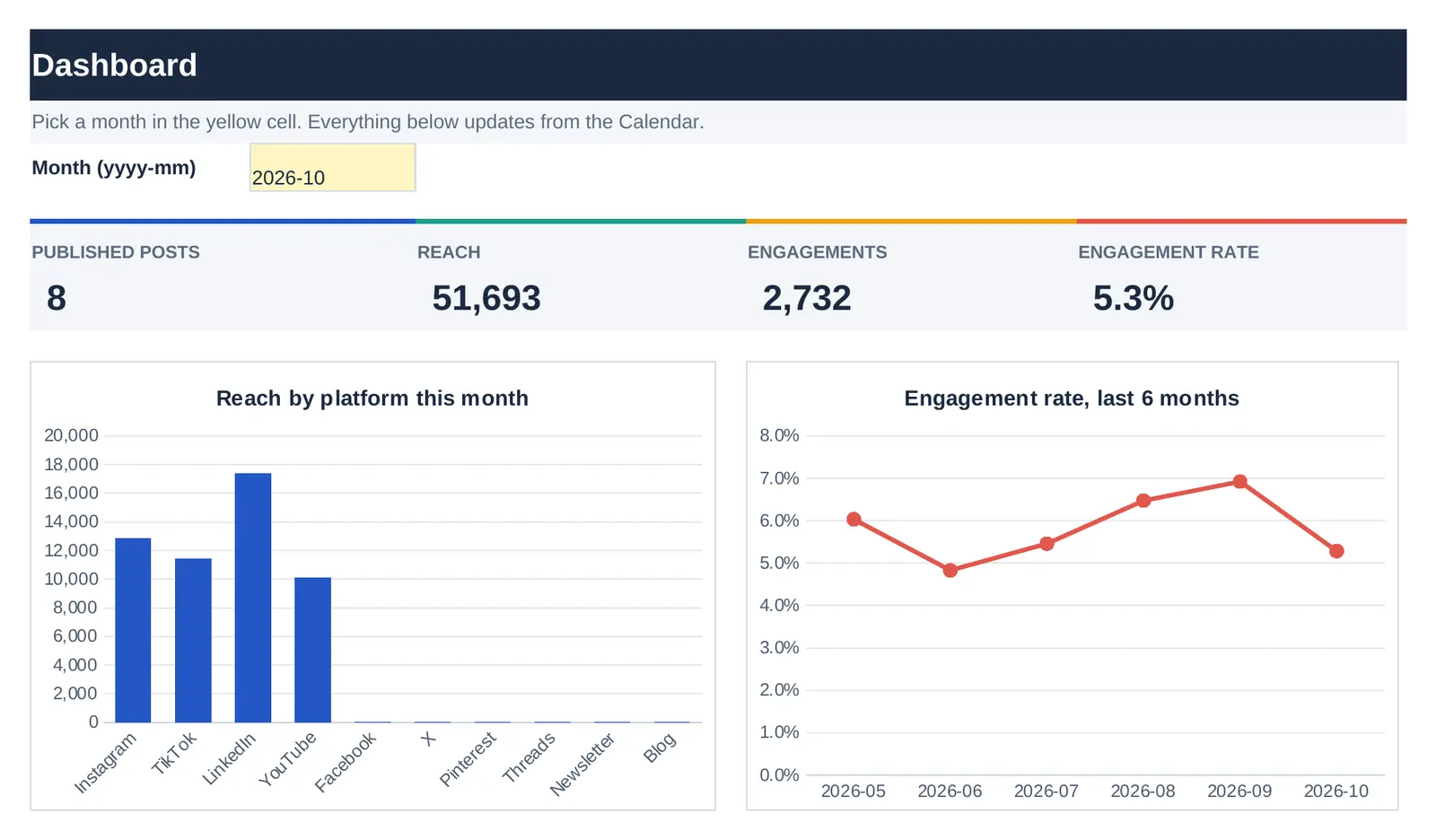
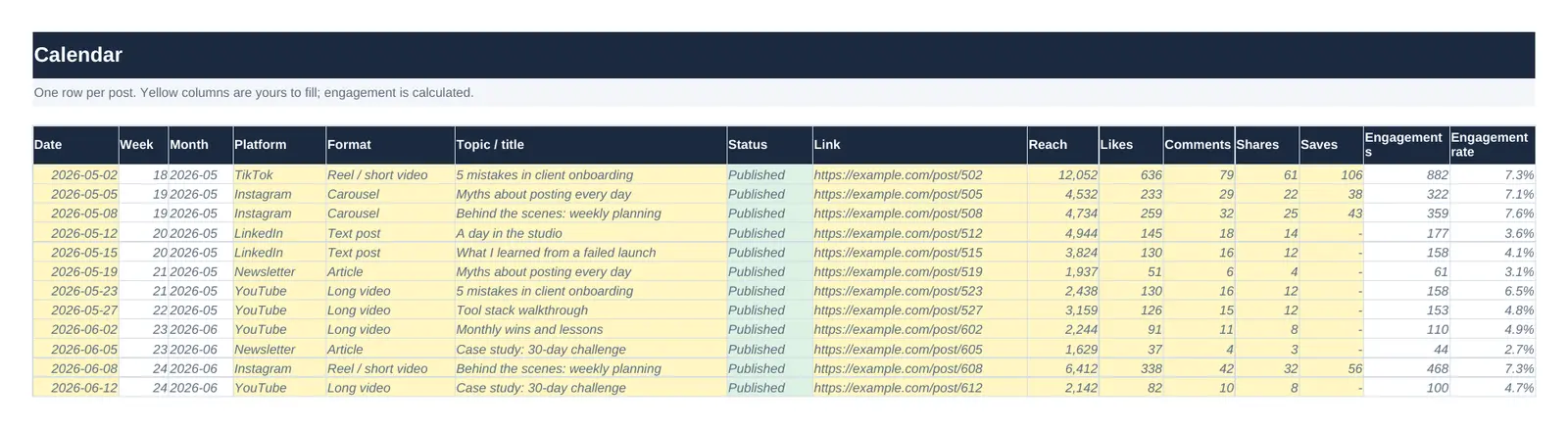
A content calendar tells you what to post. This one also tells you what happened afterwards, in the same file.
Each post gets one row. While you plan, you fill in the date, platform, format, topic and status. Week and month work themselves out from the date. When the post is live, you paste the link and the numbers from the platform’s insights. Engagement and engagement rate are calculated on the spot.
The Dashboard turns those rows into a monthly report. Type a month, for example 2026-10, and you see published posts, reach, engagements and engagement rate per platform, totals across all platforms, how many posts sit at each stage of your pipeline, and which post had the highest engagement rate. Copy it into a client report, or keep it for yourself.
What's inside
| Tab | What it does |
|---|---|
| Calendar | One row per post with date, platform, format, topic, status and link. Add reach, likes, comments, shares and saves once it's live, and engagement rate fills in. |
| Dashboard | Type a month and see posts, reach, engagements and engagement rate per platform, your pipeline by status, and the month's best post. |
| Lists | The platforms, formats and statuses behind the dropdowns. Add your own and the Calendar picks them up. |
| Start here | A one-page guide to filling it in. |
Who it's for
- Freelance social media managers reporting to clients each month
- Small business owners who post on two or three platforms
- Creators who want to know which format earns the most engagement
Questions
Does it pull numbers from Instagram or TikTok automatically?
No. You copy the numbers from each platform's insights into the row. It takes about a minute per post, and it means the file works with any platform, including ones without an API.
How is engagement rate calculated?
Likes, comments, shares and saves added together, divided by reach. The formula is visible in the Engagement rate column if you want to change it, for example to use followers instead of reach.
How many posts does it hold?
400 rows are ready with formulas. To add more, select the last row and drag it down.
The complete set: all 3 templates for $49
Bought separately they cost $72. One payment, 3 files, the same licence and free updates.
$49 $72
Available soon.
Related guide
Licence: use it in your own work and for your clients; don't resell or share the file itself. Read the full terms and the refund policy.